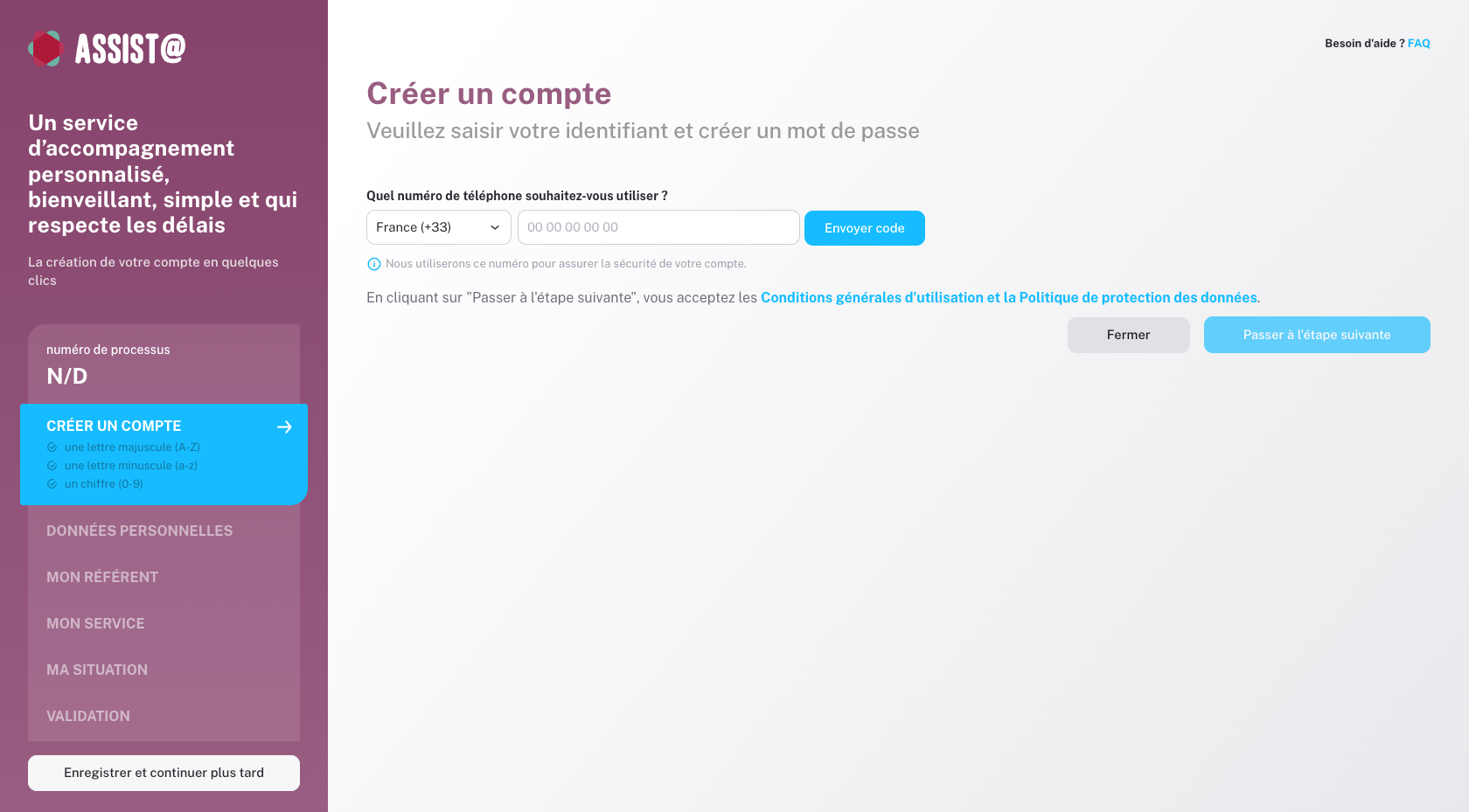
Designed specific flows and built the frontend in React alongside another developer for Assist@, a life admin platform covering bereavement, relocations, and other life transitions. The heavier contribution was the frontend implementation — interaction states and micro-patterns that make inherently tedious tasks feel fast and competent. Internal tools held to the same design standard as user-facing surfaces.
- Product Design
01 · Context
Life admin for people already overwhelmed.
Making something inherently bureaucratic feel manageable — without the interface ever becoming the source of friction.
The people reaching for Assist@ are often already overwhelmed — grieving, relocating, navigating bureaucracy they've never dealt with before. The platform spans multiple services (Anticipa, Facilita) serving individuals directly and through professional resellers, plus a white-label employer service (Assist'RH) on Securibox's rh.securibox.eu.
The design goal:
Every surface — user-facing and internal — built within one coherent system, so the pattern never breaks at a moment that matters.
How do you make something inherently bureaucratic feel fast, clear, and safe — especially when the person behind it is stressed?
02 · Key contributions
Three contributions that kept the system coherent.
Frontend as the primary deliverable
Frontend implementation — from design to production.
The primary deliverable was production-ready React code, built alongside another developer: component implementations, interaction states, and the micro-animations that communicate system feedback without requiring navigation away from the current task. One example: the letter generation loading state showed progress per service provider — so users could see which letters had been processed and which were still pending, turning an opaque wait into a transparent sequence.
New flows inside an established system
New flows designed within the established system — and existing UI refactored from production signals.
Designed the reseller portal within the established Assist@ design system — a dedicated partner login where funeral home staff create user accounts on behalf of bereaved families, manage case status per service provider (accepted, rejected, pending), and track payments. Designed the death declaration workflow — registering the death and all associated data — and the letter generation flow, which produces a letter for each provider based on the services identified during the Anticipa or Facilita process. Designed the back office for managing reseller access, teams, and permissions. Anticipa and Facilita had existing initial designs — implemented those into production and refactored UI where the UX broke down in real usage.
Same standard on invisible surfaces
Back office — system coherence on an invisible surface.
The platform includes an internal back office for managing the Anticipa and Facilita services — not exposed to end users, but built to follow the same UI language as the rest of the application. Maintaining the same visual language on a surface no client ever sees is a systems decision, not a polish decision. The practical consequence: anyone moving between the back office and the user-facing product works within a familiar environment, reducing context-switching during operations.
Primitive · Same standard, every surface
Primitive reference
- LetterGenerationQueuePer-provider loading state showing which letters are done, pending, or in progress.
- ResellerCaseRowPer-service case status — accepted, rejected, pending — inside the reseller portal.
- ServiceConfigStepPer-service configuration after selection — bridges chosen démarche and provider-specific fields.
- Same standard, every surfaceBack office and user-facing flows share one component library and visual language.
- Micro-animation as system feedbackInteraction states communicate progress without pulling users off the current task.
- IA-mirrored architectureFolder structure mirrors product IA so shared components sit where the product is shared.
03 · In practice
The decision that held the system coherent where no client could see it.
Systems thinking
Back office held to the same design standard as user-facing surfaces.
The platform includes internal tools for managing Anticipa and Facilita services — not exposed to end users.
Most teams skip design quality on internal surfaces since no client ever sees them.
The design standard applies to everything the product touches. Anyone moving between internal and external surfaces works within a familiar environment.
Built the back office with the same component patterns and visual language as user-facing flows.
Reduced context-switching during operations. The principled payoff: accountability doesn't stop where the client's line of sight ends.
04 · Implementation
Design and code across Anticipa, Facilita, reseller, and back office.
Design
What was designed
- —Reseller portal: dedicated partner login within the Assist@ design system, account creation on behalf of families, per-service case management (acceptance status, rejection handling), payment tracking per dossier.
- —Death declaration workflow: registering the death with all related data, triggering downstream processes in Facilita.
- —Letter generation: produced from the services identified during the Anticipa or Facilita process — one letter per provider, reviewable before sending.
- —Document upload flow.
- —Service configuration flow: after selecting démarches, users configure each service individually — bridging the gap between choosing what needs to happen and providing the details each provider requires.
- —Back office: reseller access management, team configuration, permissions.
- —Existing Anticipa and Facilita UI refactored where production usage revealed UX friction.
Code
What was built
- —Production React frontend built alongside another developer across all surfaces: Anticipa, Facilita, reseller portal, and back office.
- —Project architecture and folder structure designed to mirror the routing structure — shared components reusable across services, with a directory layout that reflected the product's own information architecture.
- —Death declaration form and service configuration screens — multi-step flows with validation and conditional logic.
- —Letter generation UI with per-provider loading state showing progress through the sequence.
- —Reseller portal: case management interface, payment tracking, account creation flow.
- —Back office UI built to the same standard as user-facing surfaces — shared component patterns, consistent visual language.
- —Refactored existing Anticipa and Facilita UI where production usage revealed UX issues.
05 · Results & Metrics
One coherent system across every surface.
4
Product surfaces — Anticipa, Facilita, reseller portal, back office — in one system.
1
Shared design language across user-facing and internal tools.
Multi-step
Flows with validation and conditional logic for stress-context users.
Per-provider
Loading and progress visibility on otherwise opaque long operations.
06 · Trade-offs & Learnings
What stress-context design taught.
— Designing for people in difficult moments (bereavement, job loss, life transitions) means the interface can never be the source of friction. Every micro-interaction carries more weight when the user is already overwhelmed — a confirmation message isn't decoration, it's reassurance that the system did what was asked.
Same standard, every surface.
User-facing flows and internal tools built within one coherent system — because the pattern boundary shouldn't stop where the client's line of sight ends.